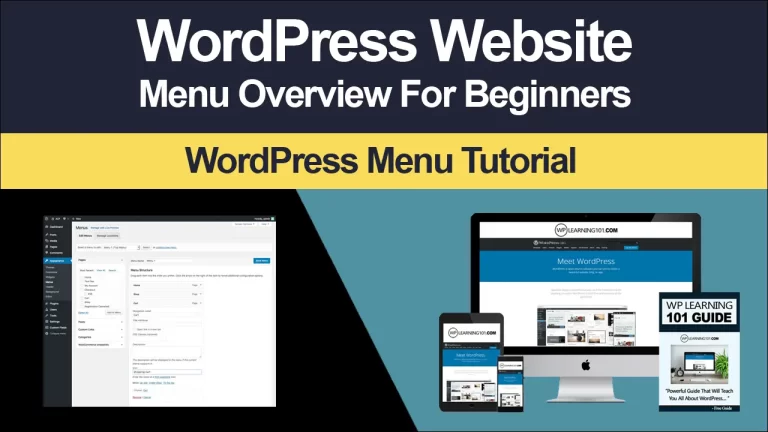
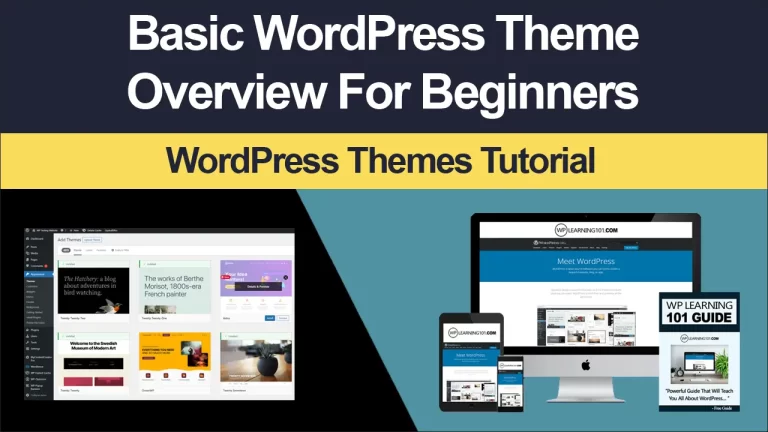
WordPress Themes, Plugins & Customization: WordPress Themes, Plugins and Customization Guide
WordPress Themes, Plugins & Customization: WordPress Themes, Plugins & Customization: Build a Better WordPress Website
A successful WordPress website is more than an attractive collection of pages. It is a practical digital experience that helps visitors understand your message, trust your organization, and take meaningful action. The right theme establishes visual direction, reliable plugins add useful capabilities, and thoughtful customization turns a standard installation into a website shaped around your goals. Together, these elements provide a flexible foundation for businesses, creators, nonprofits, educators, and growing online stores.
Choosing well matters because every design decision influences performance, accessibility, search visibility, security, and future maintenance. An impressive homepage cannot compensate for confusing navigation, slow loading, or a checkout process that discourages customers. Conversely, a carefully planned WordPress setup can make publishing easier, improve engagement, and support expansion without forcing you to rebuild everything later.
This collection of WordPress themes, plugins, and customization options is designed to help you create a polished website with confidence. Whether you need a professional corporate presence, a portfolio, a magazine, a membership community, or an online shop, you can begin with a dependable structure and refine it according to your audience. The goal is not to add the greatest number of features. The goal is to select the right features, present them clearly, and manage them responsibly.
Choosing the Right WordPress Theme
A theme controls the presentation layer of your website, including layouts, typography, colors, spacing, menus, headers, footers, and responsive behavior. It should support your content rather than compete with it. Before choosing one, define your primary purpose, audience, essential pages, preferred tone, and expected growth. A photographer may prioritize galleries and image performance, while a consultant may need strong service pages, testimonials, booking forms, and prominent calls to action.
Look for a responsive design that adapts naturally to phones, tablets, laptops, and large screens. Mobile visitors often represent a substantial share of traffic, so a theme that merely shrinks desktop content is not sufficient. Buttons should remain easy to tap, text should stay readable, and menus should be simple to operate. Test demonstrations on several screen sizes instead of relying only on a screenshot.

Performance deserves equal attention. A theme with excessive animations, bundled scripts, or poorly optimized images can slow every page. Search engines and visitors both value fast experiences. Favor clean code, efficient assets, limited dependencies, and compatibility with current WordPress standards. A lightweight theme with targeted enhancements is generally more sustainable than an overloaded design containing features you will never use.
Review customization controls carefully. Useful options may include global colors, typography settings, reusable templates, layout widths, blog structures, and header variations. Site Editor compatibility can make modern block-based editing faster and more consistent. However, numerous settings do not automatically indicate quality. The best theme gives you meaningful control without burying basic tasks under confusing panels.
Check update history, documentation, support quality, licensing terms, and user feedback. Regular updates suggest that the developer responds to security changes and platform improvements. Documentation should explain installation, recommended plugins, import procedures, and troubleshooting. A theme with dependable support can save hours when an unexpected conflict appears.

Matching Design to Business Goals
Visual style should reinforce your positioning. A technology company may benefit from restrained typography, generous whitespace, and clear evidence of expertise. A restaurant might need vivid photography, an accessible menu, location details, and reservation links. A personal brand could emphasize biography, featured work, social proof, and a distinctive editorial voice.
Create a simple design system before making extensive changes. Choose one or two typefaces, a primary color, an accent color, background tones, button treatments, and consistent spacing. Repetition improves recognition and makes the website feel intentional. Avoid selecting colors solely because they look attractive in a theme preview; test contrast and consider how they affect reading comfort.
Extending Functionality with Plugins
Plugins add capabilities that WordPress does not provide by default. They can support search optimization, contact forms, backups, caching, analytics, accessibility improvements, ecommerce, memberships, multilingual publishing, security, and more. Used strategically, plugins allow a small team to create a sophisticated website without developing every feature from scratch.
Begin with requirements rather than a marketplace search. Write down the action you want visitors or administrators to perform, then identify the simplest dependable tool that enables it. For example, “collect qualified consultation requests” is more useful than “install a form plugin.” The first statement encourages you to consider fields, notifications, spam protection, consent, storage, and follow-up.
Evaluate each plugin for compatibility, maintenance, reputation, documentation, privacy practices, and performance. Confirm that it supports your WordPress and PHP versions. Review when it was last updated and whether support questions receive thoughtful responses. A plugin installed by millions of users is not automatically appropriate, but widespread adoption can provide helpful evidence when combined with active maintenance.
Avoid overlapping plugins. Installing several caching systems, security suites, page builders, or SEO tools can create conflicts, duplicate processes, and confusing settings. Every plugin increases your maintenance responsibility and may introduce additional code. Keep a record of why each plugin exists, which settings matter, and who owns its renewal or updates.
Essential Plugin Categories
Search optimization tools can help manage titles, descriptions, canonical information, XML sitemaps, structured data, and content analysis. They do not replace useful writing or sound information architecture. Use them to communicate clearly with search engines, then focus on answering visitors’ questions better than competing pages.

Performance plugins may provide page caching, browser caching, asset optimization, image compression, and database cleanup. Configure one feature at a time and test after each change. Aggressive minification or script delays can break menus, forms, sliders, and payment interfaces. Always test important user journeys after optimization.
Security tools can strengthen login protection, monitor suspicious activity, limit automated attacks, and assist with malware detection. Security is not a single plugin setting. Use strong passwords, unique administrator accounts, limited permissions, current software, secure hosting, and regular backups. A security plugin should complement, not replace, these habits.
Backup solutions are essential because accidents happen. Schedule automatic backups, retain multiple restore points, and store copies away from the hosting account. Test restoration periodically. A backup that has never been restored is an assumption, not a proven recovery plan.
Form and customer relationship tools help convert interest into action. Keep forms short, explain why information is requested, provide clear consent language where needed, and confirm successful submission. Connect notifications to a monitored inbox or service so valuable inquiries do not disappear.
Ecommerce plugins can transform WordPress into a catalog and sales system. Before launch, configure products, taxes, shipping, payment methods, transactional emails, refunds, inventory, and customer accounts. Complete test orders on desktop and mobile. Examine every confirmation, receipt, and error message from a customer’s perspective.
Customization Without Creating Technical Debt
Customization gives your website distinction, but unmanaged changes can make updates dangerous. Before editing code, identify whether the desired result can be achieved through native settings, blocks, templates, or a carefully selected plugin. Prefer reversible changes and document decisions. This approach preserves flexibility while reducing future repair costs.
Use a child theme when modifying theme files that would otherwise be overwritten during updates. Store custom templates, styles, and functions in an organized structure. If your theme supports the Site Editor, use global styles and custom templates where appropriate, while recognizing that extensive modifications may require a professional development workflow.
Custom CSS is useful for small visual adjustments, such as changing spacing, button appearance, or heading treatment. Keep selectors specific but not excessively fragile. Avoid repeatedly adding overrides to solve problems created by earlier overrides. Consolidate styles, name custom sections clearly, and remove experiments that no longer serve a purpose.
Custom functionality should be separated from presentation whenever practical. Features that need to remain active after a theme change belong in a dedicated plugin or code management system rather than the theme’s files. For significant work, use version control, a staging site, and a documented deployment process. Never test risky changes directly on a busy production website.
Improving the Editing Experience
A well-designed editing system helps your team publish consistently. Create reusable blocks or patterns for calls to action, testimonials, service summaries, and promotional banners. Establish approved image dimensions, writing conventions, and accessibility checks. Editors should be able to update content without accidentally changing the entire visual system.
Use templates to standardize recurring page types. A service template might include a compelling introduction, benefits, evidence, frequently asked questions, and a contact prompt. A blog template could provide consistent metadata, author information, related articles, and subscription opportunities. Structure makes quality easier to repeat.
Organize media deliberately. Use descriptive filenames, meaningful alternative text, appropriate compression, and logical folders or categories when your workflow supports them. Alternative text should explain an image’s purpose, not repeat decorative details. If an image conveys no information, mark it decorative when the relevant tool allows that choice.
Performance, Accessibility, and Search Foundations
Performance is part of persuasion. Visitors are more likely to read, shop, or inquire when pages respond quickly. Start with efficient hosting, a lightweight theme, modern image formats, and limited third-party scripts. Use lazy loading for appropriate media, but do not delay essential content. Measure real pages with performance tools and prioritize problems that affect actual users.
Accessibility expands your audience and improves usability for everyone. Maintain sufficient color contrast, logical heading order, visible keyboard focus, descriptive link text, captions where appropriate, and labels for form fields. Do not communicate meaning through color alone. Test navigation with a keyboard and inspect pages using screen reader-friendly structure.
Search visibility begins with relevance and clarity. Define the audience and intent for each important page. Use one descriptive main heading, meaningful subheadings, concise page titles, and readable URLs. Link related content naturally so visitors and search engines can discover supporting information. Publish original material that demonstrates experience, answers practical questions, and remains accurate over time.
Analytics should serve decisions rather than satisfy curiosity. Track actions such as completed forms, purchases, downloads, subscriptions, and meaningful engagement. Review which pages attract visitors, where users leave, and which campaigns generate qualified results. Respect privacy requirements, disclose relevant tracking, and collect only information you genuinely need.
A Reliable Launch and Maintenance Process
Launch preparation should be systematic. Confirm domain settings, secure connections, administrator access, contact details, legal pages, navigation, search visibility settings, and social sharing previews. Test forms, purchases, account creation, password recovery, comments, redirects, and error pages. Review content for spelling, outdated claims, broken links, missing images, and inconsistent formatting.
Use a staging environment for updates and substantial changes. Back up before updating WordPress, themes, or plugins, then review the website after each update. If an issue appears, identify the newest change, reproduce the problem, and restore only when necessary. Keeping a change log makes diagnosis faster and helps multiple contributors coordinate.
Create a maintenance schedule. Weekly checks might include backups, uptime, important forms, and security alerts. Monthly reviews can cover updates, performance, broken links, analytics, and content freshness. Quarterly assessments should examine user goals, accessibility, conversion paths, plugin necessity, and hosting capacity. Maintenance protects the investment made during design and development.
Plan for growth from the beginning. Choose hosting that can scale, establish naming conventions, keep administrative permissions controlled, and document integrations. If your website becomes central to revenue or operations, consider professional monitoring, managed updates, custom development, and a support agreement. Early structure prevents urgent expansion from becoming an expensive emergency.
Frequently Asked Questions
Can I change themes after launching?
Yes, but prepare first. Themes can control templates, menus, widgets, styling, and content presentation, so switching may alter page appearance or remove theme-specific elements. Create a staging copy, document current settings, test critical pages, and keep a backup. If custom content was placed inside theme files, migrate it before changing themes.
How many plugins should a website have?
There is no universal maximum. A carefully maintained website with many efficient plugins may work better than one with only a few poorly built tools. Judge plugins by necessity, quality, compatibility, performance, and maintenance. Remove inactive tools you no longer need, but retain a backup before uninstalling anything that may store data.
Is a page builder necessary?
Not always. WordPress blocks and Site Editor features can handle many professional websites with less complexity. A page builder may be valuable when you need advanced layouts, reusable design systems, or a team familiar with its workflow. Choose one platform and commit to it rather than mixing several builders unnecessarily.
How can I make my website faster?
Start by measuring. Optimize large images, reduce unnecessary scripts, select efficient hosting, use caching appropriately, limit external fonts and tracking tools, and keep themes and plugins current. Test important pages on mobile networks. Do not chase a perfect laboratory score while overlooking slow forms, confusing layouts, or broken functionality.
Should I use free or premium themes?
Both can work. Assess code quality, updates, support, documentation, licensing, accessibility, and compatibility instead of assuming price guarantees quality. A premium license can provide useful support and features, while a reputable free theme may be sufficient for a straightforward project. Select according to requirements and long-term reliability.
What happens if a plugin conflicts with my theme?
Symptoms may include broken layouts, errors, missing features, or slow performance. Record what changed, create a backup, and test in staging. Temporarily deactivate plugins one at a time to identify the conflict, then review documentation or contact the developers. Avoid applying random fixes directly to production. Sometimes replacing one tool is safer than forcing compatibility.
How often should content be updated?
Update whenever information, services, prices, regulations, or contact details change. Beyond factual maintenance, review important pages at least annually to improve clarity, evidence, calls to action, and search relevance. A content calendar helps maintain publishing consistency, but usefulness matters more than posting frequency.
Can customization improve conversions?
Yes, when it removes obstacles and clarifies value. Simplify navigation, strengthen headings, show credible evidence, improve forms, make calls to action specific, and ensure mobile usability. Test one meaningful change at a time when possible. Design should guide visitors toward a relevant next step without pressuring or confusing them.
Conclusion
WordPress becomes most powerful when its parts work together deliberately. A suitable theme creates a coherent foundation, carefully chosen plugins provide focused capabilities, and responsible customization expresses your unique goals without sacrificing stability. Performance, accessibility, security, search clarity, and maintenance should guide every decision from the beginning, not appear as last-minute repairs.
Start with a clear audience and a short list of measurable objectives. Choose a theme that supports those objectives, add only essential plugins, and customize through organized, reversible methods. Test real user journeys on multiple devices, establish backups and update routines, and use analytics to improve rather than decorate your decision-making.
A website is never truly finished. It is a living business asset that benefits from observation, refinement, and reliable care. With the right WordPress themes, plugins, and customization strategy, you can launch a professional experience today and continue improving it as your audience, content, and ambitions grow.