
WordPress Tutorial Videos for Beginners + Free AI WordPress Coach
WordPress Learning 101 gives beginners a clear, step-by-step path to building and managing a professional WordPress website without coding, confusion or expensive designers.
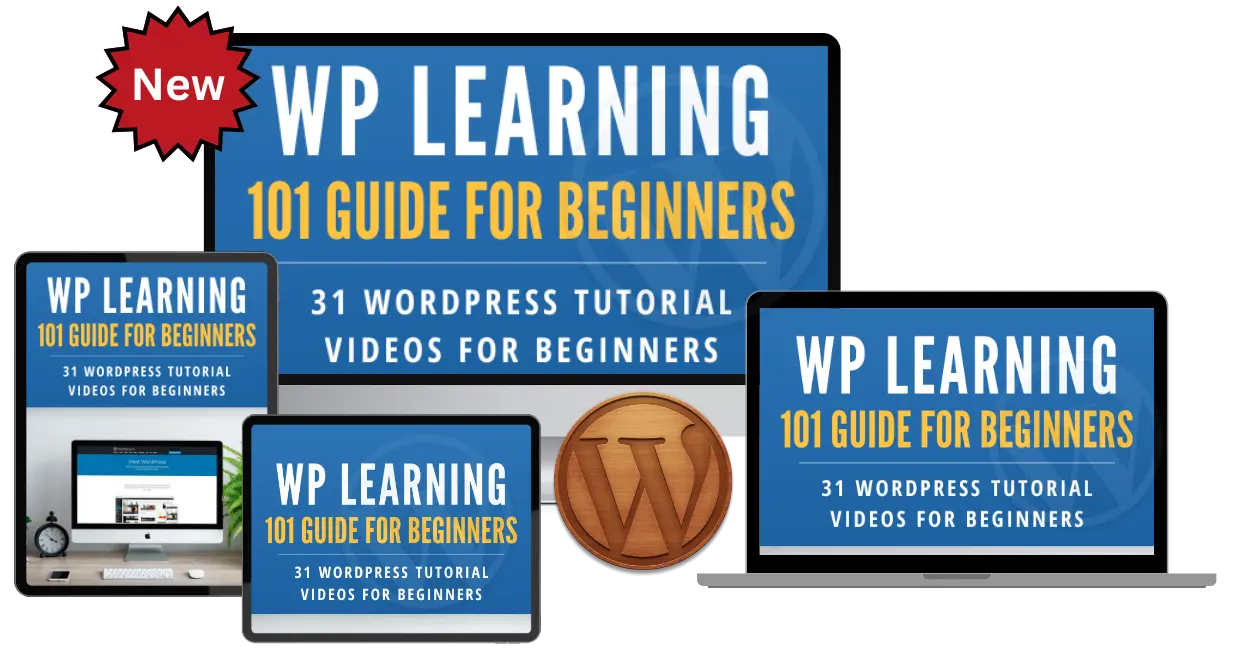
Watch a Quick Preview Before You Enroll
Watch this short introduction to discover how WordPress Learning 101 helps complete beginners learn WordPress step by step, then enroll free and begin the full training.
See how the training works, meet your instructor and learn what is included before you enroll. No credit card is required.
Build Your First WordPress Website Step by Step
Stop jumping between disconnected videos and conflicting advice. This free WordPress course follows a clear beginner path—from buying a domain and hosting to installing WordPress, creating content, using themes and plugins, building menus and tracking visitors.
- Start with no previous WordPress or coding experience.
- Follow each lesson in a logical, building-block order.
- Pause, replay and learn at your own pace.
- Use the free PDF guide as a convenient reference.
A Complete Free WordPress Learning Experience
The course is designed to help you move from feeling stuck to confidently managing your own website.
Step-by-Step Video Training
Watch clear tutorials arranged in a logical learning order.
Free AI WordPress Coach
Get quick beginner-friendly help with WordPress and website growth questions.
Downloadable eBook Guide
Use the companion WordPress PDF as a helpful reference while you build.
Learn at Your Own Pace
Start now, revisit lessons and learn across your devices.
Meet Your Free AI WordPress Coach
Training tells you what to do. The AI WordPress Coach helps when you have a quick question along the way.
- Ask beginner WordPress questions 24 hours a day.
- Get guidance about SEO, content, traffic and lead generation.
- Find the right training or resource faster.
- Receive simple explanations without technical overload.
Your WordPress Coach
Why Students Recommend WP Learning 101
“Very clear and detailed instructions. I had been so lost with WordPress, but at this pace I am looking at becoming stress and fear free.”

“The format was laid out in a building format so that each lesson added to the previous information learned. Five stars from beginning to end.”

“Designing a website for my photography business was the next step. With the training I designed a stunning website.”

31 WordPress Tutorial Videos for Beginners
Follow the lessons in order or revisit the topics you need. Videos 1 and 2 cover domain names, followed by 29 additional step-by-step WordPress lessons.
How to Buy a Domain Name
Choose and register the right domain for your website.
How to Buy Hosting
Understand hosting and select a dependable plan.
How to Perform Site Redirection
Redirect websites correctly when domains or locations change.
How to Change Your Nameservers
Connect your domain name to your hosting account.
cPanel Introduction
Learn the main tools inside your hosting control panel.
Create an Email Account in cPanel
Set up a professional email address using your domain.
Install WordPress Manually
Follow the complete manual WordPress installation process.
Install WordPress in cPanel
Use your hosting dashboard to install WordPress quickly.
Create and Edit Posts with the Block Editor
Publish content using the modern WordPress editor.
Use the WordPress Classic Editor
Create and edit content with the Classic Editor.
WordPress Dashboard Overview
Understand the main WordPress administration area.
Add Categories and Tags
Organize posts for visitors and search engines.
Use the WordPress Media Library
Upload and add images and other media to your content.
Create and Edit WordPress Pages
Build the important pages your website needs.
Manage WordPress Comments
Edit, approve, moderate and remove comments.
Find and Install WordPress Themes
Choose and install a theme for your website.
Customize a WordPress Theme
Adjust your site design without feeling overwhelmed.
Use the WordPress Theme Editor
Understand the built-in editor and use it carefully.
Install and Manage WordPress Plugins
Add new features and manage your plugins.
Create WordPress Menus
Build clear navigation for your website visitors.
Set Up WordPress Widgets
Add and arrange useful widget content.
Manage Profiles and Users
Create users and understand WordPress user roles.
Use WordPress Tools
Learn the useful tools included in WordPress.
Configure WordPress Settings
Set up the essential options for your website.
Create a Contact Form
Give visitors an easy way to contact you.
Use Gravatar with WordPress
Display profile images for users and commenters.
Add Videos and Images to Posts
Create richer, more engaging blog content.
Create Static WordPress Pages
Build permanent pages for important information.
Add a Favicon to WordPress
Create a more professional browser-tab identity.
Install Google Analytics
Track visitors and understand website activity.
No credit card needed.
Use WordPress to Bring Your Website Idea to Life
WordPress can support everything from a simple personal blog to a full online business.

Helping Beginners Build Websites Since 2007
Hi, I’m Chad Portnova. I created WP Learning 101 to help everyday people build and manage WordPress websites without coding, confusion or expensive designers.
The goal is simple: give beginners the training, tools and support needed to launch a blog, business website, affiliate site or online project with confidence.
Along with the 31 free lessons, you’ll have access to an AI WordPress Coach that can help answer questions about WordPress, SEO, content, traffic, lead generation and growing an online business.
Start Learning WordPress FreeFrequently Asked Questions About the Free WordPress Course
Are the WordPress tutorial videos for beginners really free?
Yes. The core WP Learning 101 course includes 31 beginner WordPress tutorial videos and a companion WordPress eBook guide at no cost. No credit card is required to enroll.
Do I need coding or website-building experience?
No. The training is designed for people with little or no previous WordPress experience. Basic computer and internet skills are enough to begin.
How long will I have access?
The course is self-paced and designed for ongoing access, allowing you to revisit lessons whenever you need a refresher.
Can I use the training on a phone or tablet?
Yes. WP Learning 101 is responsive and can be accessed on phones, tablets and computers. A laptop or desktop is recommended when practicing the steps on your own WordPress site.
What does the AI WordPress Coach help with?
The AI Coach can provide quick beginner-friendly guidance about WordPress, SEO, content creation, website traffic, lead generation and related website-building questions.
Does the course include a WordPress PDF guide?
Yes. The course includes a free WordPress eBook PDF guide that complements the video lessons and gives you a reference you can use while working.
When does the course begin?
You can begin immediately after completing the free enrollment process. The course is self-paced, so you control when and how quickly you learn.
Will I earn a certificate?
No formal certification is offered. The focus is on practical WordPress skills you can apply to your own personal or professional website projects.
Stop Feeling Stuck and Start Building Your Website
Get all 31 WordPress tutorial videos for beginners, the free WordPress guide and access to the AI WordPress Coach.
100% free enrollment. No credit card required.