WordPress SEO Strategies to Boost Search Rankings

WordPress SEO: A Practical Guide to Better Search Visibility
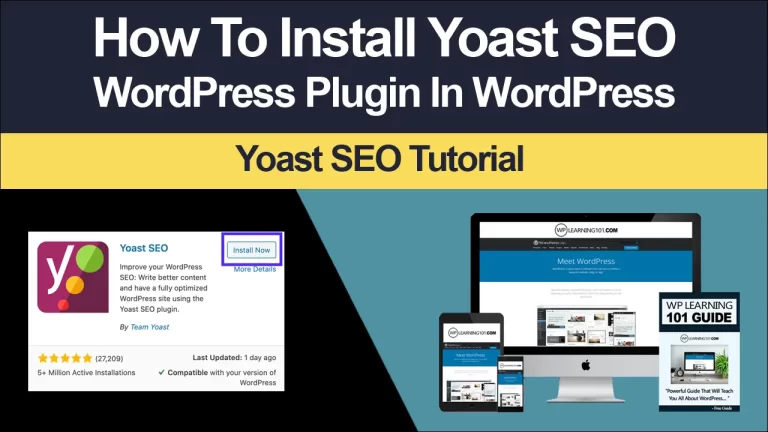
WordPress SEO is the process of improving a WordPress website so search engines can understand, trust, and present its pages to relevant visitors. It combines technical configuration, useful content, clear site structure, performance improvements, and ongoing measurement. Installing a plugin alone cannot guarantee prominent rankings. Strong results come from making the website genuinely helpful while removing obstacles that prevent crawling, indexing, or a satisfying user experience.
This guide explains a complete approach for businesses, publishers, organizations, and creators. It covers foundational settings, content optimization, technical checks, local visibility, links, measurement, and common mistakes. The goal is not to chase temporary tricks, but to build a search-friendly website that earns qualified traffic and supports meaningful business outcomes.
Start With Search Intent and Audience Needs
Before changing settings, decide whom the website serves and what those people need. Search optimization begins with questions, not keywords. A visitor searching “how to repair a leaking faucet” expects instructions, while someone searching “emergency plumber near me” may need a fast call option. Those searches require different pages, formats, and calls to action.
Create a simple audience profile for each important service or topic. Record the problem, likely questions, preferred solution, geographic area if relevant, and the action you want visitors to take. Then examine search results manually. Notice whether Google displays guides, product pages, local listings, videos, or comparison articles. This reveals the likely intent behind a query and helps you choose an appropriate page type.
Avoid assigning several pages to the same narrow intent unless each page has a clearly different purpose. Multiple competing pages can confuse visitors and weaken internal signals. A content map should identify one primary page for each major topic, supporting articles that answer related questions, and links that guide readers toward the most valuable next step.

Configure WordPress Foundations
Choose a Reliable Site Address
Use one preferred version of the domain, such as HTTPS with or without the “www” subdomain, and redirect alternatives consistently. HTTPS protects connections and is expected for modern websites. Confirm that the certificate works on every important page, including images, forms, and embedded resources.
Set the site title and tagline under the general WordPress settings. These may appear in browser interfaces or feed information, although page-specific titles usually matter more for search presentation. Use a short, accurate description that communicates the website’s purpose rather than stuffing phrases.
Set Permalinks Carefully
Readable URLs help users understand a page before opening it. A structure based on the post name is often suitable for editorial websites, while larger organizations may need folders that reflect categories or services. Change permalink settings only after planning redirects for existing URLs. A URL change without a redirect can create broken links, lost bookmarks, and unnecessary ranking disruption.
Keep addresses concise. Include the central topic when natural, remove dates if they do not add meaning, and avoid excessive folders, symbols, or repeated words. Once a page has earned links and visibility, do not alter its address merely to make it slightly shorter.
Control Indexing Intentionally
WordPress includes a setting that can discourage search engines from indexing the site. Check it after development and migration, because an accidentally enabled option can make a public website difficult to discover. Also review page-level noindex directives, password protection, staging domains, and robots.txt rules.
Not every page belongs in search results. Thin author archives, internal search pages, duplicate filtered URLs, and private utility pages may provide little value when indexed. Exclude them carefully while keeping important articles, services, products, and category pages accessible.
Build a Clear Site Architecture
A useful structure lets visitors and crawlers move from broad subjects to specific information. Organize the main navigation around user tasks, not internal departments or clever labels. A service company might use Services, Locations, Resources, About, and Contact. A magazine might use topic categories with clearly labeled archives.
Keep important pages within a reasonable number of clicks from the homepage. Link related articles together using descriptive anchor text. A page about beginner gardening tools could link to guides about soil preparation, seasonal planting, and tool maintenance. These links distribute attention, help readers continue learning, and clarify relationships among topics.
Use Categories and Tags With Purpose
Categories should represent meaningful, stable groups that visitors may browse. Tags can describe narrower attributes, but they are not required for every post. Creating dozens of nearly empty archives can produce low-value pages and make maintenance difficult. Before publishing a taxonomy, ask whether people would actually use it as a browsing path.
Create custom menus that reflect the most important routes. Include prominent links to revenue or conversion pages, but avoid filling menus with every article. A focused menu reduces choice overload and makes mobile navigation easier.
Research and Map Keywords
Keyword research identifies the language people use when describing problems, products, and solutions. Begin with customer conversations, sales questions, support tickets, forums, competitor pages, and autocomplete suggestions. Expand each core topic into informational, commercial, navigational, and local variations.
Evaluate a phrase by relevance, intent, competition, and business value. A broad phrase may attract many searches but little purchasing interest. A specific phrase may attract fewer people while producing better leads. Choose terms that match what your page can genuinely deliver.
Assign one primary concept and several closely related subtopics to each page. Avoid forcing an exact phrase into every heading. Natural variation improves readability and allows the page to address the subject comprehensively. A page targeting “home office lighting” might naturally discuss brightness, glare, color temperature, placement, and energy use.
Optimize Pages That Deserve Visibility
Write Strong Titles and Descriptions
A title should identify the page’s subject and give a reason to choose it. Put the important concept near the beginning when that remains natural, then distinguish the page with a benefit, audience, location, or format. Do not promise something the content fails to provide.
Meta descriptions may influence whether someone clicks, even though they are not a direct ranking guarantee. Summarize the page accurately, address the reader’s likely need, and include a clear benefit. Each important page should have a distinct description. Search engines may rewrite it when another passage better matches a query, so make the visible page content equally clear.
Improve Headings and Readability
Use one descriptive main heading, followed by logical subheadings. Headings should organize the argument rather than serve as containers for repeated keywords. Put the answer near the beginning, especially for questions that can be addressed directly, then provide context, steps, examples, and cautions.

Use short paragraphs, bullets, tables, and visual emphasis where they genuinely improve comprehension. Explain specialized terms before relying on them. A reader should be able to scan the page and understand its structure without losing the central message.
Create More Useful Content
A strong page demonstrates practical understanding. Define the problem, explain why it matters, present a workable method, and identify limitations. Include examples that help readers adapt advice to their situation. Update details when products, regulations, software interfaces, or best practices change.
Avoid rewriting competitor pages with minor wording changes. Add original usefulness through clearer explanations, decision criteria, templates, troubleshooting, comparisons, or firsthand information that you can responsibly verify. If a claim depends on location, industry, or current policy, state the relevant qualification instead of presenting it as universal.
Improve Images and Media
Images can support understanding, but unoptimized files can slow pages. Resize images to the largest display dimensions needed, choose an efficient format, and compress without damaging important detail. Use descriptive filenames and alternative text that explains the image’s purpose. Decorative images generally need empty alternative text so screen readers can skip them.
Do not place essential information only inside an image. Captions can add context when a visual requires explanation. Lazy-load below-the-fold media, while ensuring that important above-the-fold content appears promptly. Check responsive behavior on smaller screens, where oversized galleries and embedded videos can create frustrating scrolling.
Strengthen Technical SEO
Improve Performance
Performance affects user satisfaction and can influence how search systems evaluate page experience. Test representative pages on mobile and desktop rather than relying on the homepage alone. Investigate large images, render-blocking resources, unnecessary scripts, excessive plugins, poor hosting, and unoptimized database queries.
Use caching and content delivery services when appropriate, but configure them carefully. Minification or script combination can sometimes break functionality. After each performance change, test menus, forms, checkout, tracking, and interactive components. A fast page that does not work is not an improvement.
Ensure Mobile Accessibility
Responsive design should adapt content, navigation, buttons, tables, and media to narrow screens. Text must remain readable without horizontal scrolling. Tap targets need enough space, and intrusive overlays should not hide the page immediately. Test with real devices or reliable emulators and navigate using a keyboard where possible.
Accessibility improvements often help SEO indirectly because they make content easier for more people to use. Provide meaningful link labels, visible focus states, logical heading order, sufficient contrast, and labels for form controls. Accessibility is a quality responsibility, not merely a ranking tactic.
Manage Crawling and Indexing
Generate an XML sitemap for eligible pages and submit it through available search engine webmaster tools. A sitemap helps discovery but does not force indexing. Inspect important URLs to confirm that they are crawlable, canonicalized correctly, and not blocked by accidental rules.
Use canonical tags when similar URLs represent substantially the same content. Canonicals are signals, not absolute commands, so keep the preferred page accessible and consistent across internal links, redirects, and sitemap entries. Resolve chains and loops, and repair important broken links.
Use Structured Data Responsibly
Structured data gives search engines machine-readable context about a page. Depending on the content, suitable types may describe an organization, local business, article, product, event, recipe, or frequently asked question. Mark up only information that is visible and accurate on the page.
Validate the implementation with appropriate testing tools and monitor warnings. Do not add structured data solely to obtain a rich result, and never invent reviews, prices, availability, or answers. Search features can change, so treat markup as clarification rather than a guaranteed display enhancement.
Earn and Manage Links
Internal links are within your control and deserve regular attention. Link from authoritative, relevant pages to important destinations using concise anchor text. When updating an article, look for natural opportunities to connect newer resources, key services, and deeper explanations.
External links can support credibility when they lead to useful, trustworthy sources. For inbound links, focus on earning attention through original research, helpful tools, expert resources, partnerships, community participation, and genuinely valuable content. Avoid buying manipulative links, automated directory submissions, or exchanges designed primarily to distort rankings. Such tactics can create risk without building a durable reputation.
Review links after redesigns and migrations. Redirect retired URLs to the closest relevant replacement, not automatically to the homepage. If no meaningful replacement exists, a clear not-found response may be better than a misleading redirect.
Optimize for Local Search
Local businesses should maintain consistent name, address, phone, hours, and service information across their website and important business profiles. Create a useful location page that explains services, coverage, access, parking, and local considerations. Do not produce dozens of near-identical location pages with only city names changed.
Encourage genuine customer feedback through appropriate channels, but never fabricate or incentivize misleading reviews. Respond professionally to questions and criticism. Add local business structured data when the details are accurate, and make contact options obvious on mobile devices.
Measure What Matters
Connect the site to search performance and analytics tools, then establish a baseline before making major changes. Track impressions, clicks, click-through rate, indexed pages, organic conversions, engaged visits, form submissions, calls, purchases, and revenue where relevant. Rankings alone cannot show whether traffic is useful.
Segment results by page, query, device, country, and brand versus non-brand searches. A page with rising impressions but falling clicks may need a clearer title or better alignment with search intent. A page with visits but few conversions may need stronger proof, clearer navigation, a simpler form, or a more appropriate offer.

Review performance monthly or quarterly, depending on publishing frequency and business scale. Compare meaningful periods and investigate changes rather than reacting to daily fluctuations. Record each major update, including content edits, redirects, design changes, and plugin replacements, so cause and effect are easier to evaluate.
A Practical WordPress SEO Workflow
Start with a crawl and a page inventory. Identify critical pages, duplicate content, broken links, slow templates, indexing problems, missing titles, and outdated information. Prioritize issues by potential impact and effort.
Next, clarify the site’s architecture and keyword map. Consolidate overlapping pages, improve navigation, and create a publishing plan based on genuine audience needs. Optimize existing high-potential pages before producing a large volume of new posts.
Then address technical performance, mobile usability, media, structured data, and redirects. Test changes in a staging environment whenever possible. After publishing, request or encourage discovery through internal links and appropriate promotion.
Finally, measure results and iterate. Search visibility usually develops through accumulated improvements rather than one dramatic adjustment. Keep successful elements, test one meaningful change at a time, and document lessons for future work.
Common Mistakes to Avoid
Treating Plugins as a Complete Strategy
SEO plugins can simplify titles, sitemaps, canonicals, and social metadata, but they cannot choose your audience, create expertise, fix weak offers, or guarantee indexing. Configure only features you understand and review defaults after installation.
Publishing Without a Maintenance Plan
Outdated prices, broken screenshots, expired offers, and inaccurate instructions damage trust. Schedule reviews for important pages. Update, consolidate, or retire content according to evidence, preserving useful URLs whenever possible.
Chasing Keyword Density
Repeating a phrase unnaturally makes writing unpleasant and does not create topical value. Cover the subject clearly, answer related questions, and use language that real readers recognize. Quality and usefulness should guide wording.
Ignoring Conversion Experience
More visitors are not automatically better results. Make the next action obvious, provide reassurance, display contact choices, and remove unnecessary form fields. SEO and conversion optimization work best together because useful traffic must be able to accomplish its purpose.
Frequently Asked Questions
Is WordPress good for SEO?
WordPress can provide a strong foundation because it supports editable content, responsive themes, taxonomies, menus, and many technical controls. Its results depend on configuration, theme quality, hosting, content, maintenance, and accessibility. No platform removes the need for thoughtful optimization.
Do I need an SEO plugin?
A plugin is useful for managing metadata, sitemaps, redirects, and certain structured settings, especially when native controls are limited. It is not mandatory for every task, and installing several overlapping plugins can create conflicts. Choose one maintained solution and understand its settings.
How long does SEO take?
The timeline varies with competition, site history, technical condition, content quality, authority, and publishing consistency. Some improvements may help quickly, while broader visibility often requires sustained work and evidence. Monitor trends over meaningful periods instead of expecting guaranteed dates.
Should every post target a keyword?
Every useful page should have a clear purpose and audience, but not every post needs a narrowly selected keyword. Some pages support a broader topic, answer an emerging question, or strengthen internal linking. Optimize for clarity and demand without forcing artificial targets.
Are backlinks still important?
Relevant, trustworthy links can help discovery, reputation, and authority, but quantity alone is not a dependable goal. Earn links by creating resources people want to reference and by building legitimate relationships. Avoid schemes that manipulate signals.
What should I do when traffic falls?
Check technical availability, indexing, manual actions, redirects, analytics tracking, seasonality, algorithm changes, competitors, and content freshness. Compare affected pages with stable pages, identify when the decline began, and make evidence-based changes. Do not delete or rewrite everything immediately.
Conclusion
WordPress SEO succeeds when technical accessibility and human usefulness reinforce each other. Begin with audience intent, establish a logical site structure, and configure WordPress so important pages can be found and understood. Publish original, readable content, optimize images and performance, maintain mobile accessibility, use structured data honestly, and earn links through value rather than shortcuts.
Measurement turns effort into learning. Track qualified actions alongside visibility, prioritize pages with real potential, and review changes systematically. Whether you manage a small local service site or a large publishing operation, consistent improvements compound. Treat search optimization as an ongoing product discipline: understand users, remove friction, communicate clearly, and keep the experience worthy of attention. That approach is persuasive because it does more than seek rankings; it gives visitors convincing reasons to stay, trust, contact, subscribe, or buy.