
How to Fix WordPress Canonical URLs for Better SEO

Canonical URLs tell search engines which version of a page should be treated as the main, preferred URL. In WordPress, incorrect canonicals can split ranking signals, cause duplicate-content confusion, or point crawlers toward pages you never intended to prioritize. The fix is usually straightforward: establish the URL you want indexed, remove conflicting settings, check the generated canonical tag, and monitor the result.
A canonical tag does not force indexing, guarantee rankings, or redirect visitors. It is a hint that helps search engines consolidate similar pages. Therefore, a good repair process combines canonical tags with consistent internal links, redirects where appropriate, sound sitemap entries, and sensible indexing controls.
What a Canonical URL Does
A canonical URL appears in the HTML head as a link element with `rel=”canonical”`. Its `href` value identifies the preferred version of a page. For example, these addresses might display similar content:
`https://example.com/guide/`
`https://www.example.com/guide/`

`https://example.com/guide/?source=newsletter`
The site should normally choose one preferred version, such as the HTTPS, non-www URL with a trailing slash. The canonical tag can tell search engines which address represents the original page, while redirects can send users and crawlers away from unwanted versions.
Canonicals are particularly useful for sortable archives, tracking parameters, printer-friendly pages, syndicated material, and closely related URLs. They are less suitable when pages are genuinely different. A category page should not usually canonicalize to an unrelated article merely because the article performs better.
A canonical is also different from a 301 redirect. A redirect changes the visitor’s destination and is appropriate when an old URL has been permanently replaced. A canonical leaves the alternate page accessible and requests consolidation. Choosing the wrong method can waste crawl resources and create confusing signals.
Why WordPress Canonicals Go Wrong
WordPress often generates canonical tags automatically, but plugins, themes, hosting settings, and URL variations can interfere. Common problems include a homepage canonical pointing to the wrong protocol, post canonicals containing an unwanted subdirectory, or archive pages canonicalizing to a single article.
Migration errors are frequent. If a site moves from HTTP to HTTPS, changes domains, switches between www and non-www, or changes its permalink structure, old references can remain in templates, plugins, databases, redirects, and sitemaps. Search engines may then receive contradictory instructions.
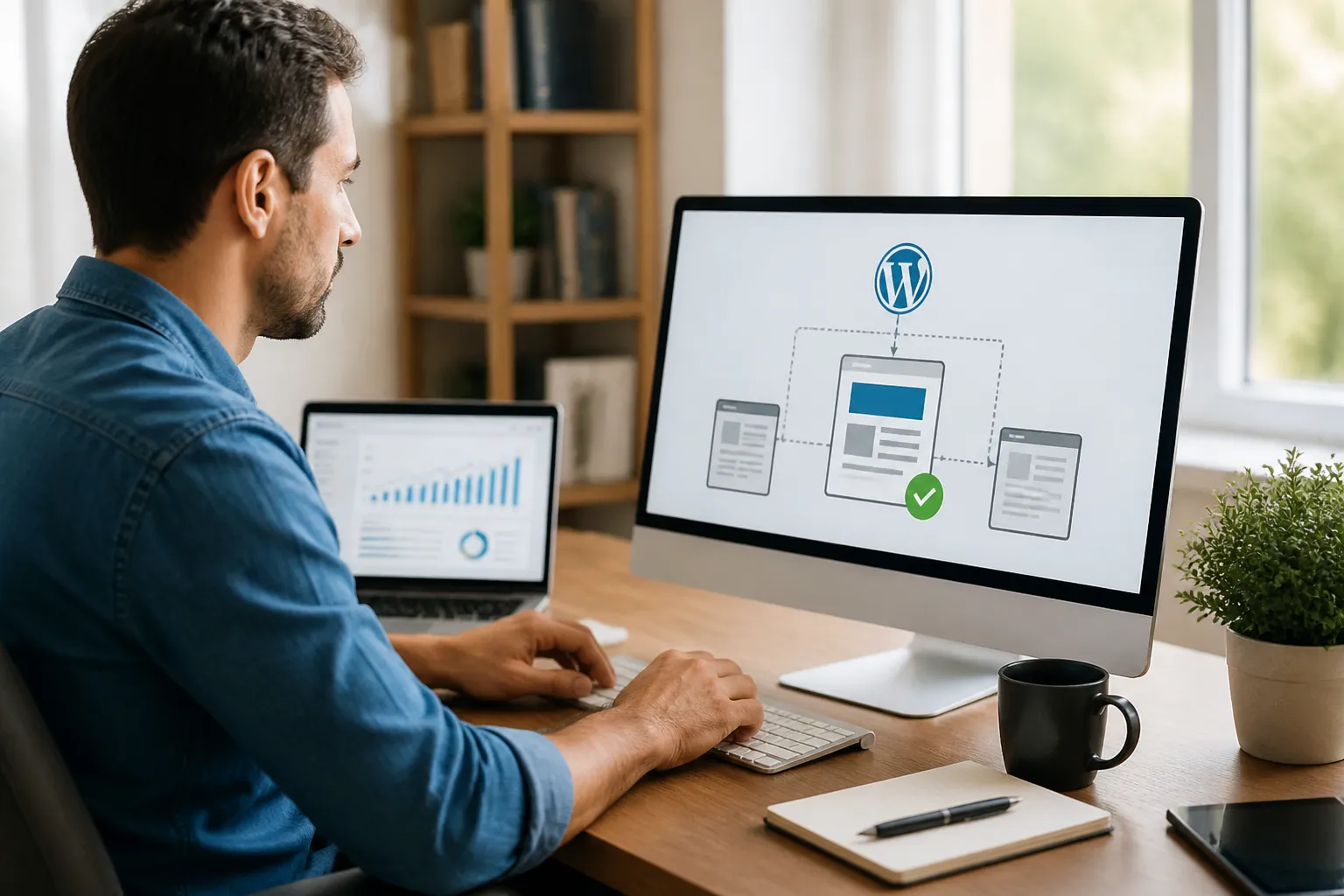
Query parameters create another challenge. Marketing parameters such as `utm_source` usually should not create separate canonical pages. WordPress may correctly output the clean URL, but custom code or a poorly configured plugin can preserve the parameter. Faceted navigation, search results, and calendar archives may also produce many near-duplicate addresses.
Duplicate content does not automatically create a penalty. The practical concern is that search engines may choose an unexpected URL, divide signals between versions, or spend crawling resources on redundant pages. Correct canonicals reduce ambiguity, but they cannot repair thin, copied, or low-quality content by themselves.
Audit the Current Canonical Setup
Begin with a representative sample rather than changing everything immediately. Inspect the homepage, several posts, pages, categories, tags, author archives, pagination pages, attachment URLs, and any custom post types. Include URLs with parameters and old versions from previous migrations.
Open each page in a browser, view the source, and search for `rel=”canonical”`. Inspect the final HTML delivered to visitors, not merely a plugin’s settings screen. The canonical should be absolute, use the correct protocol and host, and normally match the preferred permalink.
Compare the result with the address shown in the browser. Check capitalization, trailing slashes, ports, language folders, and accidental query strings. A canonical that differs only because of a deliberate parameter strategy may be correct, but unexplained differences deserve investigation.
Use a crawling tool or a search engine’s URL inspection feature when available. Look for missing canonicals, multiple canonical tags, canonical chains, non-indexable canonical targets, and conflicts between declared and selected canonicals. Treat external tools as diagnostic aids, not as substitutes for understanding your site’s URL rules.
Create a simple spreadsheet with the page URL, declared canonical, status code, indexability, internal-link version, sitemap inclusion, and required action. This makes patterns visible. If every page has the same wrong host, the issue is probably global configuration. If only one content type is affected, inspect its template or plugin settings.
Establish One Preferred URL Format
Before editing a canonical, decide the site-wide format. Select HTTPS if the certificate and site configuration support it. Then choose either www or non-www, and decide whether public URLs use trailing slashes. WordPress’s Site Address and WordPress Address settings should reflect the intended format, although changing them carelessly can make the administration area inaccessible.

Back up the site and database before changing URL settings. Confirm that the hosting environment, reverse proxy, content delivery network, and SSL configuration recognize HTTPS correctly. If WordPress believes a request is HTTP while visitors receive HTTPS, it may generate insecure links or redirect loops.
Set permanent redirects from every unwanted protocol or host variant to the preferred version. Redirect rules belong at the server or platform level when possible, because they operate before WordPress loads. Test representative URLs, including old posts, files, and parameterized addresses. A redirect should resolve to the final destination in one clean step rather than passing through several hops.
Update internal links, navigation, image references, feeds, structured data, and XML sitemaps to use the preferred format. Search engines can understand redirects, but consistent signals make crawling and consolidation more efficient. Do not canonicalize one host while linking heavily to another.
Configure WordPress and SEO Plugins
Most major SEO plugins provide a field for a page’s canonical URL and global rules for post types and taxonomies. Leave the field blank when the page should self-canonicalize, unless the plugin documents a different behavior. Add a custom canonical only when there is a clear reason, such as consolidating a substantially similar alternate page.
Never install multiple SEO plugins that all output canonical tags. A theme, SEO plugin, custom snippet, and optimization extension can each add a tag, producing conflicting declarations. View source after every configuration change and confirm that exactly one canonical exists where one is expected.
Check plugin settings for taxonomies, author archives, date archives, media pages, search results, and paginated archives. Decide which sections deserve indexing based on their usefulness, uniqueness, and role in navigation. A low-value archive may need a noindex directive or removal from the site rather than a canonical pointing elsewhere.
If a plugin offers a canonical override, verify that the target returns a successful response, is indexable, and is a genuine equivalent. Do not point hundreds of unrelated pages to the homepage. That choice rarely consolidates meaningful relevance and can make the site’s architecture harder to interpret.
Handle Themes and Custom Code
Search theme files and snippets for `rel=”canonical”`, `wp_head`, or functions that construct URLs. Custom code should not duplicate the SEO plugin’s output. Review child themes, must-use plugins, and code added through a snippets manager, because these locations often survive theme changes.
Use WordPress functions that respect the configured site URL and escaping requirements rather than hard-coding a domain. However, do not edit production code without a backup and a rollback plan. A syntax error can affect the entire site, and a seemingly small URL function may influence feeds, metadata, and Open Graph output.
Fix Common URL-Specific Problems
A self-referencing canonical usually points from a page to its own preferred URL. This is normal and often desirable for unique pages. It becomes a problem when the self-reference uses the wrong scheme, host, path, capitalization, or slash convention.
For duplicate parameters, canonicalize the parameterized page to the clean URL when the content is substantially the same. Keep parameters when they produce genuinely distinct, indexable content and your site has a deliberate strategy for them. Do not assume every query string is harmless; some parameters change sorting, filtering, or available products.
Pagination requires care. A paginated archive is not necessarily a duplicate of page one. Each page may contain a different set of links and should generally have a logical canonical strategy supported by consistent internal navigation. Avoid blindly canonicalizing every archive page to the first page, especially when later pages expose unique content.
For mobile URLs, language versions, or regional alternatives, use the site’s current architecture consistently. Responsive pages usually need one canonical URL, while separate language or regional pages may require distinct canonicals and appropriate international annotations. A canonical should not replace accurate language targeting.
Attachment pages, internal search pages, and thin tag archives often deserve a broader structural decision. Remove unnecessary pages, redirect obsolete ones, or control indexing according to their purpose. A canonical tag is not a universal substitute for pruning.
Align Other SEO Signals
The canonical should agree with the page’s internal links, sitemap URL, redirects, structured data, and social metadata where applicable. A sitemap listing one URL while the page declares another creates an avoidable conflict. Likewise, links pointing to HTTP undermine an HTTPS canonical.
Check robots directives carefully. A canonical target blocked by robots.txt, marked noindex, redirected, or returning an error sends mixed signals. Search engines may still process a canonical from a blocked page inconsistently, but you should not rely on that behavior.
Review hreflang annotations on multilingual sites. Each language alternative should normally identify itself and its related alternatives accurately. Canonical and hreflang relationships must not contradict one another. When translation pages are genuinely separate, canonicalizing all of them to one language can undermine international visibility.

Inspect structured data URLs, Open Graph `og:url`, and feeds. These are not identical to canonical signals, yet consistency reduces confusion for crawlers and sharing platforms. Update templates that generate outdated domains after a migration.
Test Changes Before and After Publishing
After saving changes, clear page caches, server caches, and content delivery network caches. Then fetch the page in an incognito browser and inspect source. Confirm one canonical tag, the expected absolute URL, a successful final response, and no unexpected redirect.
Test a small set of URLs first: the homepage, a post, a page, an archive, and an old URL. Record status codes and final destinations. The observable checkpoint is simple: the preferred URL loads successfully, unwanted variants redirect or remain intentionally accessible, and the canonical points directly to the preferred URL.
If the canonical is still wrong, identify where the value originates. Compare plugin output, theme source, rendered HTML, server redirects, and WordPress URL settings. Disable nonessential plugins in a staging environment, then reactivate them one at a time. This isolates conflicts more safely than changing several systems simultaneously.
Submit updated sitemaps through the relevant webmaster platform and request inspection for high-priority pages when appropriate. Do not repeatedly request indexing as a substitute for fixing inconsistent signals. Search engines may take time to recrawl and select a canonical, so evaluate trends rather than expecting an immediate change.
Monitor Canonical Health
Canonical maintenance is ongoing. Schedule periodic crawls, especially after redesigns, migrations, permalink changes, plugin updates, or domain changes. Watch for sudden increases in duplicate URLs, missing canonicals, multiple tags, redirect chains, and pages whose selected canonical differs from the declared one.
Investigate differences rather than assuming the search engine is wrong. A selected canonical may differ when pages contain substantially different content, when internal links favor another URL, when the declared target is unavailable, or when several pages make weak duplicate signals. Strengthening unique content and internal linking may be more effective than repeatedly editing the tag.
Keep a change log recording the date, affected templates, URL rules, redirects, and verification results. This is valuable when a future problem appears after a plugin or hosting change. Preserve backups and test major changes on staging whenever feasible.
Frequently Asked Questions
Should every WordPress page have a canonical tag?
Most indexable pages benefit from a clear canonical, often a self-referencing one. The exact output depends on the SEO plugin and page type. The important requirements are accuracy, one consistent declaration, and an indexable target. Pages intentionally excluded from indexing may follow a different strategy.
Can a canonical URL improve rankings directly?
A canonical is not a ranking guarantee. It helps search engines consolidate signals when multiple URLs represent substantially the same content. Rankings still depend on relevance, content quality, links, technical accessibility, and many other factors. A wrong canonical can hide the preferred page from consideration, so accuracy matters.
Should I canonicalize duplicate posts to the homepage?
Usually not. The homepage is rarely an equivalent replacement for an article. Improve, merge, redirect, or remove the duplicate instead. If one post genuinely replaces another, use a permanent redirect when visitors should be sent to the replacement. Use a canonical only when the alternate remains useful and substantially similar.
Is a canonical the same as a redirect?
No. A redirect changes the requested destination, while a canonical communicates a preferred representative among accessible pages. Use a redirect for a permanently retired or moved URL. Use a canonical for accessible duplicates that users may still need, such as parameter variations.
Why does Google show a different canonical?
Search engines may select a different URL when signals conflict or when the declared target appears less representative, inaccessible, or substantially different. Compare content, links, redirects, sitemap entries, indexability, and page response. Correct the strongest underlying inconsistency, then allow time for recrawling.
Should category and tag pages self-canonicalize?
If an archive offers useful, unique navigation and you want it indexed, self-canonicalization can be sensible. If it is thin, repetitive, or unnecessary, consider improving it, noindexing it, or removing it. The decision should reflect user value rather than a blanket rule.
What if my site has several domains?
Choose one public domain and redirect alternatives when they are not intentionally separate properties. Update WordPress settings, links, canonicals, sitemaps, structured data, and hosting rules. If domains serve genuinely distinct audiences, define their content boundaries clearly and avoid accidental duplication.
Conclusion
Fixing WordPress canonical URLs is a consistency exercise, not a single plugin switch. Choose one preferred URL format, audit the rendered HTML, remove duplicate output, and ensure canonicals agree with redirects, internal links, sitemaps, robots directives, and structured data. Treat archives, parameters, translations, and legacy URLs according to their actual purpose rather than applying one rule everywhere.
Start with a representative audit and a documented URL policy. Make one controlled change at a time, confirm the final response and canonical source, then monitor crawls and indexing reports. When a canonical points to a genuine equivalent, returns successfully, and fits the rest of the site’s architecture, it gives search engines a clearer basis for consolidating signals and presenting the right WordPress page.