WordPress SEO: Build a Sound Technical Foundation

WordPress SEO: A Practical Guide to Better Rankings and Traffic
WordPress SEO is the process of improving a WordPress website so search engines can understand, crawl, index, and rank its content, while visitors can find the information useful and easy to use. A strong strategy combines technical configuration, helpful publishing, clear site structure, reliable performance, and ongoing measurement. No plugin can replace those fundamentals, but the right tools can make routine tasks easier.
The most effective approach is systematic. First, establish a technically sound website. Next, research the questions your audience asks and create pages that answer them better than competing results. Then improve internal links, titles, descriptions, images, and user experience. Finally, monitor results and refine pages based on evidence rather than guesses.
This guide explains how WordPress SEO works, what a complete setup should include, which common mistakes reduce visibility, and how to turn organic visits into meaningful actions.
What WordPress SEO Includes
Search visibility depends on several connected areas. Technical SEO helps search engines access and interpret your website. On-page SEO clarifies each page’s subject and usefulness. Content strategy determines whether you cover topics people genuinely need. Off-page signals, including relevant mentions and links from other websites, can support credibility. Conversion optimization ensures traffic produces subscriptions, inquiries, sales, or another worthwhile result.
These areas should not be treated as isolated tasks. A perfectly optimized title cannot rescue a page blocked from indexing. A fast site may still perform poorly if its content is shallow. Conversely, a valuable article can lose visitors when navigation is confusing or the page is difficult to read on a phone.

WordPress offers a flexible foundation because it supports editable URLs, headings, media, navigation, metadata, and structured content. However, flexibility also creates risks: duplicate archives, unnecessary plugins, weak templates, poor image handling, and accidental indexing of private or low-value pages. Your goal is not to optimize every setting blindly. It is to make important content accessible, understandable, trustworthy, and satisfying.
Build a Sound Technical Foundation
Choose a Clear Site Structure
Organize content around logical categories that reflect how visitors think about your subject. A small business might use service, location, about, contact, and resource sections. A publication may use topic categories and individual articles. Keep important pages reachable through the main navigation or contextual links.
Use descriptive permalinks. A short address such as `/wordpress-seo/` communicates more than a long string containing dates, numbers, or irrelevant words. Changing established URLs can create broken links, so plan carefully and use permanent redirects when a change is necessary. Do not repeatedly alter URLs simply to insert a new keyword.
Review category, tag, author, date, and search-result archives. Some archives help users browse; others create thin or repetitive pages. Decide which versions deserve indexing, and prevent low-value variations from competing with your primary pages. Your SEO plugin may provide controls, but confirm the result by inspecting the site and its robots or indexing settings.
Manage Crawling and Indexing
Crawling means discovering pages; indexing means storing and potentially displaying them in search results. A page can be crawlable without being indexed, and indexed pages can still rank poorly. Make sure valuable pages are not accidentally marked `noindex`, password protected, or blocked by robots instructions.
Create an XML sitemap containing indexable, canonical URLs. Submit it through the relevant search engine webmaster service when appropriate. A sitemap is a discovery aid, not a ranking guarantee. It should not contain redirected, broken, duplicate, or intentionally excluded URLs.
Set a preferred canonical URL for pages with similar or duplicated versions. Canonical tags are signals rather than absolute commands, so consistency matters: internal links, sitemap entries, redirects, and canonical declarations should generally point to the same preferred address.
Use HTTPS and Reliable Hosting
HTTPS protects connections and is an expected baseline for professional websites. Install a valid certificate, redirect old HTTP addresses, and correct mixed-content warnings. Choose hosting that provides dependable availability, current server software, backups, and enough resources for your traffic. Extremely cheap hosting can create slow responses, interruptions, or limited support, although price alone does not determine quality.
Keep WordPress core, themes, and plugins updated through a controlled process. Before major changes, maintain a tested backup. Remove unused plugins and themes, because unnecessary software increases maintenance and security exposure. Updates should be evaluated for compatibility rather than postponed indefinitely.
Create Pages People Want to Visit
Research Search Intent
Keyword research is useful when it reveals language, questions, and expectations, not when it becomes a list of phrases to repeat. Examine whether a query seeks information, a comparison, a specific product, a local service, or a direct website. The page format should match that intent.
For example, someone searching for “how to compress WordPress images” likely needs instructions and practical settings. A person searching for “WordPress image optimization plugin” may be comparing tools. Combining both intents on one unfocused page can satisfy neither. Create a dedicated resource when the audience, purpose, and answer are meaningfully different.
Look beyond broad, competitive terms. Specific questions often reveal clearer needs and allow a new site to demonstrate expertise. Speak with customers, review support questions, inspect on-site searches, and study competing pages for gaps. Do not copy their wording or claims. Use research to understand the problem, then produce a more useful answer.
Write Helpful, Complete Content
Every important page needs a clear purpose. State the answer early, then explain the reasoning, steps, limitations, and alternatives. Use headings to guide scanning, short paragraphs for readability, and examples where they clarify an abstract idea. Avoid padding, exaggerated promises, and unsupported claims.
A service page should explain who the service is for, what it includes, how the process works, and what a visitor should do next. A product page should present benefits, specifications, compatibility, delivery or support information, and honest limitations. An article should solve a defined problem rather than merely mention a keyword.
Demonstrate credibility with accurate author information, transparent business details, editorial care, and links to authoritative references when claims require support. For health, financial, legal, or safety subjects, use especially careful language and encourage professional guidance where appropriate. Trust is built through evidence and clarity, not through confident wording alone.

Optimize Titles, Descriptions, and Headings
Write a unique title that identifies the page’s subject and gives readers a reason to choose it. Keep it concise enough that the main idea remains visible, but do not chase a rigid character formula. Search engines may rewrite titles when they seem inaccurate, repetitive, or poorly matched to the page.
Meta descriptions do not guarantee higher rankings, yet they can influence whether a searcher selects your result. Summarize the page honestly, mention its practical value, and avoid repeating the title. Each page should have one clear H1 heading. Use H2 and H3 headings to organize sections, not to create decorative keyword strings.
Naturally include important terminology in the introduction, headings, body, and relevant image descriptions. Search engines understand related concepts, so awkward repetition usually harms readability without adding value. Edit for a human reader first.
Improve Images and Accessibility
Images can explain products, demonstrate procedures, and make a page more engaging, but they also affect performance and accessibility. Resize images to the dimensions actually needed, select an efficient format, and compress them without making important details unreadable. Avoid uploading a huge original when a smaller version will display clearly.
Give meaningful images descriptive alternative text. Alt text should explain the image’s relevant purpose, not stuff keywords. A screenshot showing a WordPress setting might need a concise description of the visible option. Decorative images can usually use empty alternative text so assistive technology skips them. Captions are useful when context or attribution matters.
Use descriptive filenames before uploading, but do not obsess over renaming every existing asset. Lazy loading can reduce initial work, although the main visible image should not be delayed unnecessarily. Test pages on mobile devices and slower connections, because real visitors may experience conditions unlike your office network.
Strengthen Internal Linking
Internal links help visitors discover related information and help search engines understand relationships among pages. Link from broad guides to detailed resources, from articles to relevant services, and from older useful pages to newer material. Use anchor text that describes the destination naturally; “read more” gives little context.
Build topic clusters carefully. A central guide can introduce a subject and link to focused pages covering individual questions. Those focused pages should link back when useful and connect to adjacent topics. This structure distributes attention and creates a clearer journey, but it should serve navigation rather than exist solely for rankings.
Check links periodically. Remove references to deleted pages, update outdated destinations, and avoid overwhelming readers with unrelated links. A small number of highly relevant links is often more useful than a long list.
Improve Speed and User Experience
Performance is both an SEO consideration and a conversion concern. Reduce unnecessary scripts, limit heavy plugins, optimize fonts, compress media, and use caching appropriate to your hosting environment. A content delivery network may help sites serving visitors across regions, but configuration quality matters more than adding services automatically.
Measure field experience when possible, because laboratory tests and real-user conditions can differ. Pay attention to loading, visual stability, and responsiveness. A page that shifts while loading, delays interaction, or hides the main answer behind intrusive elements frustrates visitors.
Design for mobile screens first. Use readable text, sufficient contrast, clear buttons, and menus that are easy to operate. Avoid aggressive pop-ups that block content immediately. Accessibility improvements often benefit every visitor, including people using keyboards, screen readers, small screens, or unreliable connections.
Use SEO Plugins Wisely
An SEO plugin can help manage titles, descriptions, canonical settings, XML sitemaps, social sharing data, and basic schema markup. Choose one reputable tool and learn its defaults. Installing several overlapping SEO plugins can create conflicting instructions, duplicate metadata, or unnecessary site weight.
Plugins do not automatically make content authoritative, earn links, or guarantee rich results. Treat recommendations such as keyword density scores as editing prompts, not rules. If a plugin suggests awkward phrasing, favor clarity. Review generated schema to ensure it accurately represents visible page content; misleading markup can undermine trust.
Security and performance plugins require similar restraint. Every additional extension needs updates, permissions, and compatibility checks. Maintain a record of what each plugin does, and remove it when its function is no longer necessary.
Earn Visibility Beyond Your Website
External links can help discovery and may contribute to perceived authority when they come from relevant, editorially earned sources. The safest way to attract them is to publish something worth referencing: original explanations, useful tools, clear data, expert commentary, or genuinely comprehensive resources.
Promote valuable content through professional relationships, communities, newsletters, and social channels without spamming. Partnerships should be relevant and transparent. Avoid buying links intended to manipulate rankings, automated directories, mass guest-post schemes, and other tactics that create artificial signals.
Local businesses should maintain consistent name, address, phone, hours, and service information across important profiles. Encourage genuine reviews through appropriate customer communication, but never manufacture or pressure people into misleading feedback. Keep local landing pages specific and useful instead of creating near-duplicate pages for every place name.
Measure What Matters
Connect the website to a search performance platform and an analytics system that respects applicable privacy requirements. Track impressions, clicks, queries, landing pages, engagement, leads, purchases, and revenue where appropriate. Rankings can fluctuate, so evaluate trends and outcomes rather than celebrating one position.
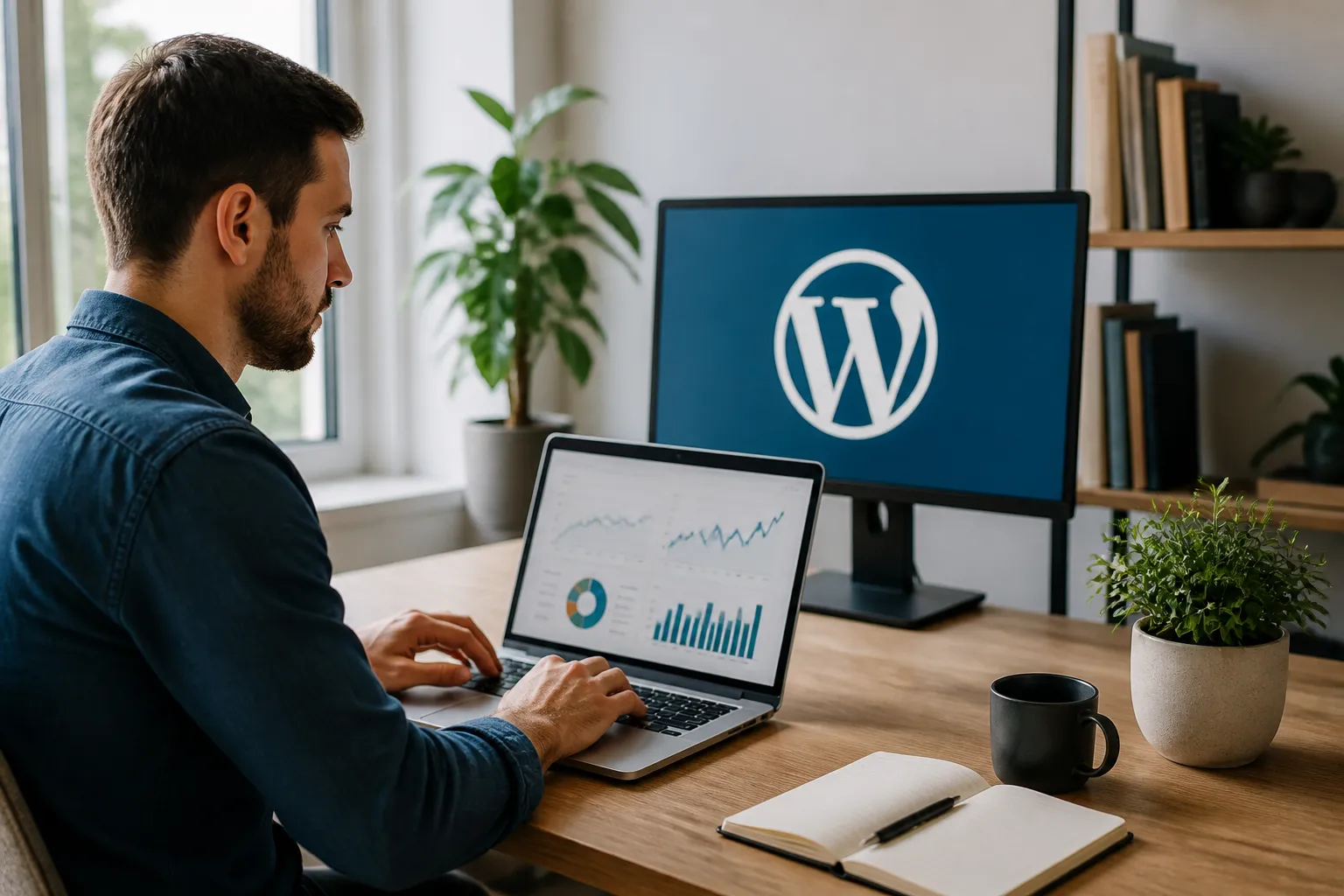
Use reports diagnostically. High impressions with few clicks may indicate an unclear title or poor result appeal. Clicks without conversions may reveal a mismatch between promise and landing page, weak calls to action, or an audience that is still researching. Declining traffic could reflect seasonality, technical changes, competitors, outdated information, or broader search behavior.
Annotate major website changes, such as redesigns, migrations, template edits, or content pruning. Compare periods carefully and allow enough time for meaningful patterns. Test one substantial change at a time when practical, then document what happened.
Common WordPress SEO Mistakes
One mistake is publishing many short pages that repeat the same idea. Consolidate overlapping content when one stronger page would serve readers better, and redirect retired URLs thoughtfully. Another is ignoring old content. Review accuracy, examples, links, screenshots, and recommendations regularly.
Do not block all JavaScript or styles without understanding the consequences. Search engines need to interpret pages as users experience them. Do not hide essential text solely for search engines, and do not use invisible keyword lists. Such practices reduce trust and may violate search guidelines.
Avoid changing a successful site during a redesign without mapping old URLs, preserving valuable content, testing redirects, and checking indexability. Staging sites should be protected from indexing, while the live site must not accidentally retain a noindex directive. After launch, inspect important pages manually and review crawl reports.
A Practical Implementation Plan
Begin with an audit of indexability, HTTPS, URLs, sitemap status, broken links, mobile usability, performance, and analytics. Record problems by impact and effort. Fix access and measurement issues before spending time on minor wording.
Next, identify your most important audiences, services, products, and questions. Map each priority topic to one primary page. Improve those pages with accurate titles, useful content, clear headings, relevant internal links, optimized media, and an obvious next action.
Then improve templates and supporting systems. Standardize breadcrumbs where they help, ensure archive behavior is intentional, refine navigation, and remove unnecessary extensions. Create an editorial schedule based on real audience needs rather than publishing frequency alone.
Finally, review performance monthly or quarterly. Update pages with declining relevance, expand resources that attract qualified visitors, and investigate technical errors promptly. SEO is cumulative: consistent improvements usually matter more than occasional bursts of activity.
Frequently Asked Questions
Is WordPress good for SEO?
Yes, WordPress can support strong SEO because it provides editable content, URLs, navigation, media, and extensible templates. Results depend on configuration, hosting, content quality, accessibility, and maintenance. The platform creates opportunities; it does not guarantee rankings.
Do I need an SEO plugin?
Many sites benefit from a reputable SEO plugin for routine metadata, sitemap, canonical, and social settings. A plugin is not mandatory for every feature, and installing multiple tools can cause conflicts. Select one that matches your needs and verify its output.
How long does WordPress SEO take to work?
There is no universal timetable. Results depend on site history, competition, content quality, technical health, and how quickly search engines recrawl changes. Monitor meaningful trends rather than expecting an immediate response after editing a page.
Should every page target a keyword?
Every useful page should have a clear purpose and audience, but not every page needs a separate keyword target. Contact, checkout, account, privacy, and utility pages may support users without seeking organic traffic. Optimize them for usability and appropriate indexing.
Are tags necessary?
Tags are optional organizational labels. They help only when they create useful browsing paths with enough meaningful content. If tags produce empty, repetitive, or thin archives, disable or exclude those archives from indexing.
Does site speed determine rankings?
Speed is one part of overall page experience and can affect visitor satisfaction, but it is not the sole ranking factor. Relevance, usefulness, accessibility, technical access, and trust remain essential. Improve performance without sacrificing readable, complete content.
Conclusion
WordPress SEO works best as a disciplined publishing and maintenance process, not a one-time plugin installation. Make important pages crawlable, organize them logically, answer real questions thoroughly, improve speed and accessibility, connect related resources with internal links, and measure outcomes that reflect business or organizational goals.
Start with technical essentials, then focus on the pages most likely to help your audience. Remove duplication, update aging information, and treat every recommendation as a means to serve visitors better. With steady attention and honest evaluation, WordPress can become a durable foundation for qualified organic traffic and stronger relationships with the people your website exists to help.